Running a small business on a tight budget doesn’t mean you have to sacrifice quality marketing. There are powerful free tools that can help you compete with bigger brands without spending a fortune. Here are seven essential marketing tools that won’t cost you a penny.
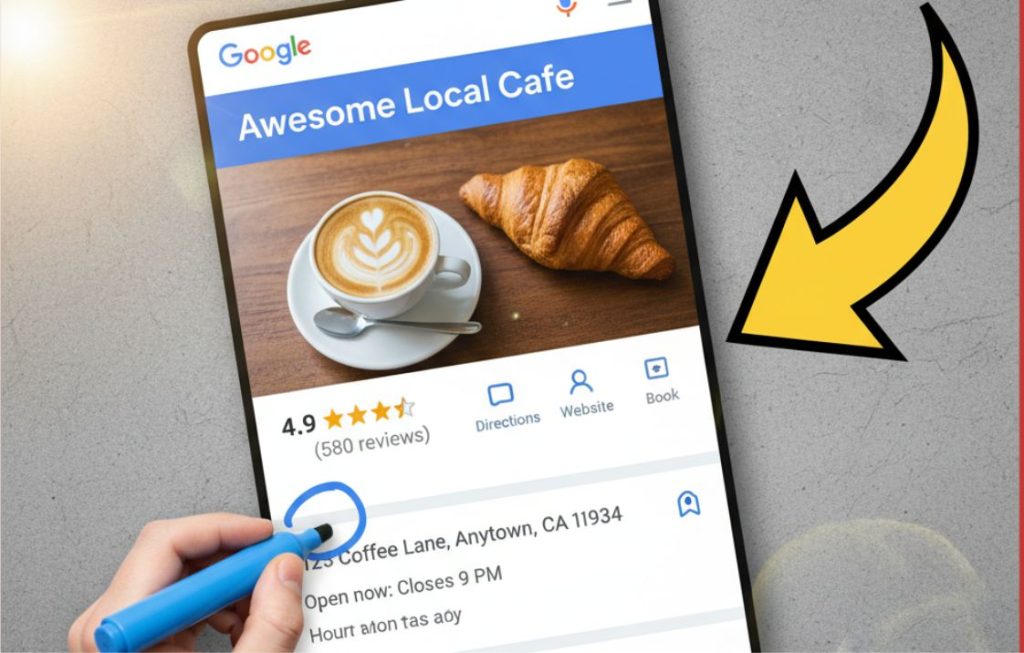
1. Google Business Profile
Your free ticket to local visibility starts here. Google Business Profile lets customers find your business on Google Search and Maps, complete with photos, reviews, hours, and direct messaging. With 46% of all Google searches having local intent, this tool is non-negotiable for brick-and-mortar businesses and service providers. Set it up in minutes, post regular updates, and watch your local search rankings climb.
2. Canva Free
Visual content drives engagement, and Canva makes professional design accessible to everyone. The free version offers thousands of templates for social media posts, presentations, flyers, and more. You’ll get access to photos, graphics, and fonts that make your brand look polished across all platforms. No design degree required.
3. Mailchimp (Free Plan)
Email marketing delivers an average ROI of $42 for every dollar spent, and Mailchimp’s free plan lets you manage up to 500 contacts and send 1,000 emails monthly. That’s plenty for most startups and small businesses. You’ll get email templates, basic automation, and analytics to track opens and clicks. Build your list from day one.
4. Google Analytics
Understanding your website traffic is crucial for marketing success. Google Analytics shows you where visitors come from, what pages they view, how long they stay, and whether they convert. The free version provides more data than most small businesses will ever need, helping you make informed decisions about your marketing strategy instead of guessing what works.
5. Hootsuite Free
Managing multiple social media accounts can be overwhelming. Hootsuite’s free plan lets you schedule up to 10 posts across three social profiles, saving you hours each week. Instead of logging into each platform daily, batch-create your content and schedule it in advance. The time savings alone make this tool invaluable.
6. Google Search Console
Want to know how people find your website on Google? Search Console reveals which keywords bring you traffic, identifies technical issues hurting your rankings, and helps you optimize for better visibility. It’s direct insight into how Google sees your website, making it essential for anyone serious about organic search traffic.
7. HubSpot CRM
Managing customer relationships shouldn’t require expensive software. HubSpot’s free CRM lets you track deals, manage contacts, and organize your sales pipeline without limitations on users or contacts. It includes email tracking, meeting scheduling, and live chat features that help you convert more leads into customers. As your business grows, the free version scales with you.
Start Smart, Scale Later
These seven tools provide everything you need to launch professional marketing campaigns without draining your budget. Start by implementing Google Business Profile and Google Analytics today for immediate visibility and insights. Then add the others based on your specific needs. Remember, the best marketing tools are the ones you actually use consistently. Master these free options before investing in paid alternatives, and you’ll build a solid foundation for sustainable growth in 2025 and beyond.
FAQ: Free Marketing Tools for Small Business
What’s the most important free marketing tool to start with?
Google Business Profile should be your first priority, especially if you serve local customers. It directly impacts how you appear in local search results and Google Maps, making it easier for nearby customers to find and contact you. Setup takes less than 15 minutes and can drive immediate traffic to your business.
Can I really run my marketing with just free tools?
Absolutely. Many successful small businesses operate entirely on free marketing tools, especially in their early stages. The seven tools listed here cover essential marketing functions including design, email marketing, social media management, analytics, local SEO, and customer relationship management. Start with these and only upgrade to paid tools when you’ve maxed out the free versions.
How much time do I need to manage these tools?
Plan to spend 2-3 hours weekly once everything is set up. Initial setup for all seven tools might take 4-6 hours total, but after that, you can batch most tasks. Schedule social media content monthly using Hootsuite, check analytics weekly, update your Google Business Profile with posts and photos bi-weekly, and maintain your CRM as you interact with customers.
Do free versions have significant limitations?
While free plans have some restrictions, they’re more than adequate for most small businesses. Mailchimp’s 500-contact limit works until you build a substantial list. Hootsuite’s 10-post scheduling handles basic needs. Canva’s free templates and graphics are professional quality. You’ll only hit limitations as you scale, at which point revenue should support paid upgrades.
Are these tools actually free or do they require payment later?
These are genuinely free tools with no required payments. Google Business Profile, Google Analytics, and Google Search Console are completely free forever. Canva, Mailchimp, Hootsuite, and HubSpot offer free plans indefinitely alongside their paid tiers. You can use the free versions as long as you want and only upgrade if you need advanced features or exceed usage limits.